•   sales@daxdata.co.za
  • +27 (0)21 683 3861
  • Marketplace Login
  • “Adobe
Dax DataDax DataDax DataDax Data
  • Home
  • Solutions
    • Creative Cloud
    • Adobe Express
    • Adobe Firefly
    • e-Learning
      • Adobe Captivate
      • Adobe Learning Manager
      • Adobe Connect
    • Document Cloud
      • Adobe Acrobat DC
      • Adobe Acrobat Sign
      • Adobe Acrobat AI Assistant
      • Adobe Acrobat Studio
    • Adobe Substance
  • Partners
  • News
    • Blog
    • Press Office
    • Newsletter
  • Support
  • About Us
  • Contact

Design interactive collateral with generative AI in Adobe InDesign

    Home Adobe Creative Cloud Design interactive collateral with generative AI in Adobe InDesign

    Design interactive collateral with generative AI in Adobe InDesign

    By editor | Adobe Creative Cloud | Comments are Closed | 1 May, 2024 | 0

    Adobe is delighted to announce that they have launched the first generative AI feature in Adobe InDesign at Adobe MAX London. You’re now able to use Text to Image (beta), powered by Adobe Firefly, Adobe’s family of creative generative AI models designed to be safe for commercial use. It kickstarts a new era of creativity in InDesign and designing page layouts both for digital and print publishing will never be the same.

    In this article, explore how you can use Text to Image to boost your productivity and also take a look at a few other new features that will enhance your InDesign workflows.

    Create images from text prompts with Text to Image

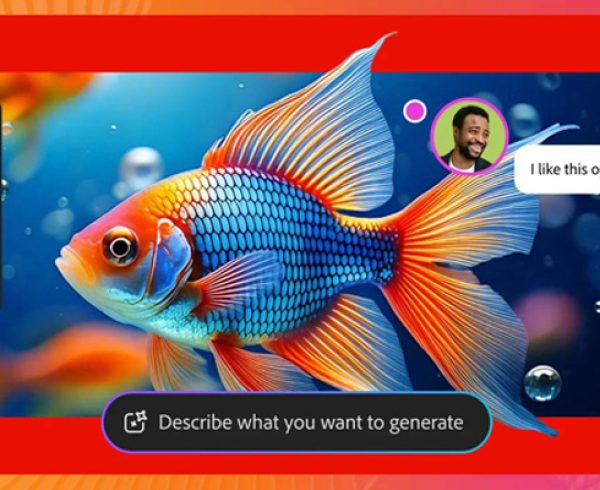
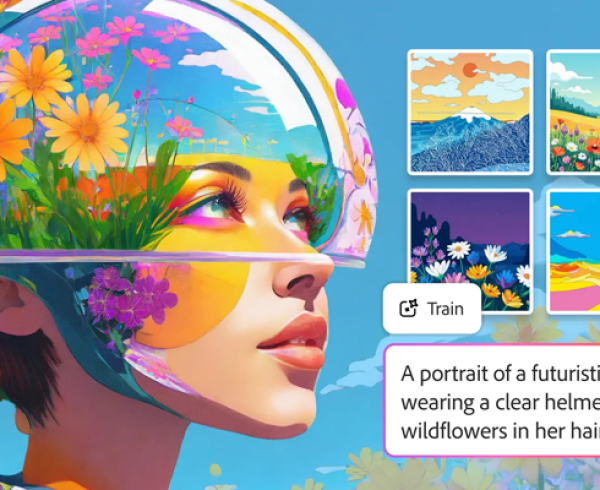
    Text to Image enables you to generate images with simple text prompts right inside InDesign — within seconds. Just provide a brief description of the image you want to generate, and InDesign will swiftly create multiple variations for you to explore. Try out the variants and select the one that best suits your layout.

    To take advantage of this game-changing new generative AI feature in InDesign directly inside the application, you can use either the Contextual Task Bar or the Text to Image panel. If you go with the latter, choose from two types of content (Photo or Art) and specify the aspect ratios to fit your page layout.

    Text to Image Panel

    Simplify your InDesign workflow with the magic of Firefly

    InDesign is an industry-leading all-around design application for print and digital publishing alike. Whether you create magazines, brochures, posters, presentations, or social media assets, InDesign workflows tend to be complex and involve multiple stakeholders. Here are just a couple of examples of how Text to Image can help you in your day-to-day work:

    • Concepting: Quickly respond to a brief and try out many creative ideas with Text to Image, while exploring typography and graphical components on your layout, all at once.
    • Mock-ups and previsualisation: Generate images with Text to Image to quickly create mock-ups of your designs to show to your clients or potential new customers, or to give guidance to a photographer or content specialist.

    As a result, you will be able to significantly simplify your workflow:

    • Find inspiration: Progress faster from ideation and brainstorming to design exploration. Add generated content into an existing layout to share with stakeholders and jump-start the creative process and get early feedback.
    • Speed up your design workflow: When you are crunched for time, simply generate images right inside the application, with the size and frame aspect ratio you want.
    • Reduce frustrations: If last-minute layout changes are required and your existing imagery no longer fits the revised layout, just generate new images from a simple text prompt, at the size you need.

    Just like every other generative AI feature powered by Firefly, Text to Image is designed to be safe for commercial use. The current Firefly generative model is trained on a dataset of licensed content, such as Adobe Stock and public domain content where copyright has expired.

    InDesign will automatically append Content Credentials to content that uses Firefly-powered features when exported in PNG or JPG file formats, providing transparency to you and others.

    To try out Text to Image update InDesign now, or experiment with it — and all of Firefly’s capabilities — on firefly.adobe.com.

    Disclaimer: Text to Image is currently available wherever Adobe provides services, in English only, and designed to be safe for commercial use.

    Contextual Task Bar

    What else is new in InDesign 19.4

    In addition to Text to Image, Adobe is also introducing a few other innovative and much requested features that will make your experience of using InDesign even better.

    Cloud docs

    InDesign cloud documents can be accessed online or offline directly from within the application, on any device where InDesign is installed.

    This long-awaited new feature — which is always up to date with complete fidelity — makes it easy to work seamlessly across devices and collaborate with team members. Access all your files on the go and track the version history to view any revision of your cloud document. Autosave keeps it up to date and makes past versions available at hand.

    Accessibility enhancements

    Accessibility is an important topic for anyone working in digital and print publishing. InDesign is continually evolving to become more accessible for everyone, especially those using assistive technologies such as screen readers, and the latest enhancements include page navigation, alternative text for cover images, as well as foot and endnotes.

    To learn about all the latest features and updates to InDesign, visit the What’s New page in the InDesign User Guide.

    Be part of InDesign’s evolution

    Creating pro design assets with InDesign is now easier than ever. Generative AI will give InDesign users efficiency and innovation in their creative production processes not seen before, and we can’t wait to see what you will create with Text to Image.

    Adobe is building generative AI features in collaboration with the design community – contact Dax Data to find out how you can empower your creative teams with this publishing solution.

    Adobe Firefly, Adobe InDesign, Adobe Stock

    Related Post

    • Discover AI driven video editing enhancements and major motion design updates across Adobe Premiere and After Effects

      By editor | Comments are Closed

      The recent updates to Premiere and After Effects give editors and motion designers faster, more intuitive ways to work while maintaining creative flow and intent. These updates open entirely new ways to tell stronger stories with your effects:Read more

    • Better Value, Smarter Creativity: Introducing Creative Cloud Standard for Teams

      By editor | Comments are Closed

      Dax Data is excited to announce the availability of Creative Cloud Standard for Teams from the 2nd of March 2026 in South Africa, Kenya, Tanzania, Mauritius and Ghana. This solution is available to NEW Adobe Creative CloudRead more

    • New Photoshop Innovations Deliver Unmatched Control, Realism and Precision

      By editor | Comments are Closed

      If you’re a creative professional, you move fast, chasing an idea from first spark to final pixel, and the smallest amount of friction can slow your creative output. Whether you’re compositing multiple elements into aRead more

    • Revolutionise Photo Editing with Photoshop in ChatGPT

      By editor | Comments are Closed

      Adobe is empowering anyone to edit with Photoshop directly in ChatGPT, making this iconic creativity tool accessible for everyone. If you have an idea, you can use Photoshop for ChatGPT to make edits to photos,Read more

    • Adobe Premiere 25.6: Smarter Search, Speedier Edits and Effortless Collaboration

      By editor | Comments are Closed

      The newest version of Adobe Premiere brings next-level intelligence, speed, and collaboration to every part of your video workflow. Whether you’re cutting on your desktop or on the go, Premiere now brings a family of toolsRead more

    Recent Posts

    • 1 April, 2026
      Comments Off on Discover AI driven video editing enhancements and major motion design updates across Adobe Premiere and After Effects

      Discover AI driven video editing enhancements and major motion design updates across Adobe Premiere and After Effects

    • 1 April, 2026
      Comments Off on Elevate Your Adobe Connect Room with Custom Virtual Backgrounds

      Elevate Your Adobe Connect Room with Custom Virtual Backgrounds

    • 1 April, 2026
      Comments Off on The Offers You’ve Been Waiting For Are Back: Save Up to 50% on Adobe Acrobat Sign Transactions

      The Offers You’ve Been Waiting For Are Back: Save Up to 50% on Adobe Acrobat Sign Transactions

    • 1 March, 2026
      Comments Off on Adobe Connect Introduces New Features to Enhance Virtual Experiences

      Adobe Connect Introduces New Features to Enhance Virtual Experiences

    Tags

    Acrobat DC Adobe Adobe Acrobat DC Adobe Acrobat Sign Adobe After Effects Adobe Captivate Adobe Captivate Prime Adobe Connect Adobe Creative Cloud Adobe Express Adobe Firefly Adobe Illustrator Adobe Photoshop Adobe Photoshop Lightroom Adobe Premiere Pro Adobe Sign Adobe Stock Adobe Substance 3D Android Apps Collaboration Creative Cloud CTIAF Devices digital transformation e-signatures eLearning iOS iPad Microsoft Mobile Newsletter Office365 Online Photography Photoshop Productivity Promo Promotion South Africa updates Virtual Platform Web conferencing Webinar Webinars

    Categories

    • Adobe
    • Adobe Acrobat Studio
    • Adobe Animate
    • Adobe Connect
    • Adobe Connect
    • Adobe Creative Cloud
    • Adobe Document Cloud
    • Adobe Photoshop
    • Adobe Photoshop Sketch
    • AppRiver
    • Collaboration
    • Compliance
    • Creative Cloud
    • Digital Imaging
    • Digital Publishing Suite
    • eLearning
    • Micro Focus
    • Microsoft
    • Newsletter
    • Office Productivity
    • Other
    • Photography
    • Security & Management
    • Tutorial
    • Uncategorized
    • Dax Data Logo
    •   Unit 1 Melomed Office Park
      Punters Way
      Kenilworth
      Cape Town
      7708
    •   +27 (0)21 683 3861
    •   0860 101 604
    •   sales@daxdata.co.za

    Useful Links

    • Creative Cloud
    • e-Learning
    • Document Cloud
    • Newsletter
    • Marketplace Login

    Recent Posts

    • Discover AI driven video editing enhancements and major motion design updates across Adobe Premiere and After Effects

      The recent updates to Premiere and After Effects give editors and motion designers faster, more

      1 April, 2026
    • Elevate Your Adobe Connect Room with Custom Virtual Backgrounds

      One of the first things Alistair Lee (Sr. Product Enablement Manager, Adobe

      1 April, 2026
    Copyright © 2025 Dax Data. All Rights Reserved.  |  Privacy Policy
    • Home
    • Solutions
      • Creative Cloud
      • Adobe Express
      • Adobe Firefly
      • e-Learning
        • Adobe Captivate
        • Adobe Learning Manager
        • Adobe Connect
      • Document Cloud
        • Adobe Acrobat DC
        • Adobe Acrobat Sign
        • Adobe Acrobat AI Assistant
        • Adobe Acrobat Studio
      • Adobe Substance
    • Partners
    • News
      • Blog
      • Press Office
      • Newsletter
    • Support
    • About Us
    • Contact
    Dax Data