Adobe Stock’s collection offers nearly a billion images, videos, music tracks, illustrations and more so you can find the right content for your project. But even with all those assets, sometimes you find content that would be perfect if only a few things were tweaked, like a sweater that needs to be less purple. Now, with AI Studio built directly into Adobe Stock’s new site, you can turn that almost-perfect content into exactly what you need.
AI Studio in Adobe Stock brings together powerful tools to refine images and video and find the right music — all in one place. It helps you move from idea to finished project faster, so you can spend less time searching and more time creating. For years, Stock has been a source of inspirational content. Now you can use that content as a launchpad and modify it until it’s perfect for your project.
Here’s what you can do with AI Studio:
Image features
- Type to Edit: Describe what you want and see the image update in seconds. You can now adjust lighting, refine expressions, add elements, change wardrobe colours, shift the time of day or transform the overall feel of the scene.
- Change Mood: Quickly adjust lighting, tone and atmosphere in one click. For example, if an image shows a landscape that looks too dark and serious for your project, you can quickly change the vibe to bright and cheery.
- Change Colour: Update colours to match your brand or creative direction. Swap preset palettes or match hex codes to change the overall colour scheme of an image.
Video features
AI Studio also introduces new ways to add motion to images and refine the look and sound of video — available on Adobe Stock and directly within Premiere workflows.
- Animate Image: Bring still images to life with simple 5-second motion. With hundreds of millions of images in the Adobe Stock collection, you now have an enormous library of visuals that can become videos.
- Change Colour: Shape the look of your footage instantly. As with still images, you can apply palettes or input hex codes to align clips with your creative direction, making it easier to maintain consistent visuals across your entire project.
- Audio Match: Get help to pair video clips with an AI‑generated soundtrack in seconds, so you are not spending hours listening to brief clips of music to find the right sound.
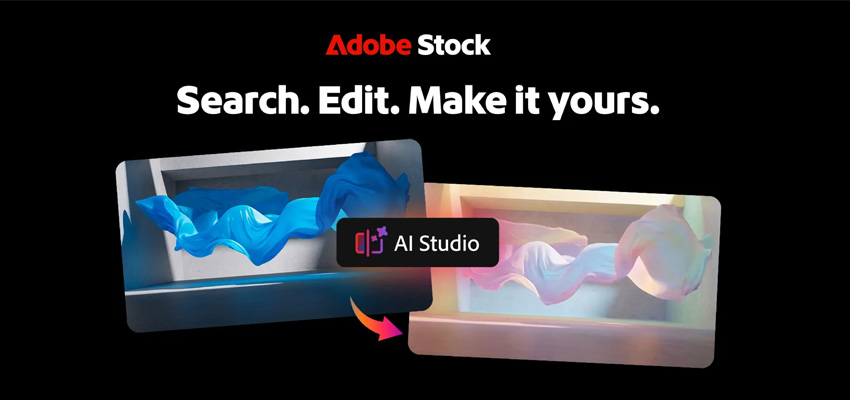
Shaping the future of Stock
The magic of Stock has always been serendipitous discovery. You may have no idea what you’re looking for until you suddenly see content that captures the energy and feeling you weren’t sure how to express. And now, if something isn’t quite right, you can make a few tweaks without interrupting that magic.
Give your creativity a head start with Adobe Stock
Search and license millions of world-class assets right inside your Creative Cloud applications. It’s all there, including images, graphics, videos, music tracks, templates, 3D content, and Adobe’s Premium and Editorial collections. Contact the Dax Data team to find out more.