There’s nothing worse than being in a creative flow and getting pulled out of it by the work around the work. Uploading photos from a shoot, hunting for the right piece of footage, fixing difficult audio, repeating the same steps across dozens of assets, or jumping between tools all take away from the time you’d rather spend focusing on the idea in front of you.
Adobe has been listening to what you need in your creative workflows, and they’re excited to bring you new tools and experiences across Adobe Photoshop, Premiere, Lightroom, Illustrator and InDesign to help you advance your craft while providing greater control and precision.
Adobe is also introducing new capabilities designed to reduce friction and give you more choice in how you work by expanding the Adobe Creative Agent across Creative Cloud, streamlining workflows and enabling your preferred AI assistant and agentic setup. New features allow you to offload repetitive or time-consuming work, explore a new direction or accelerate a specific part of your process, then continue crafting the work with the Adobe tools you know.
Read on to learn more about what’s new across Creative Cloud after Adobe MAX 2026:
Photoshop enables greater precision, creative exploration and flexibility
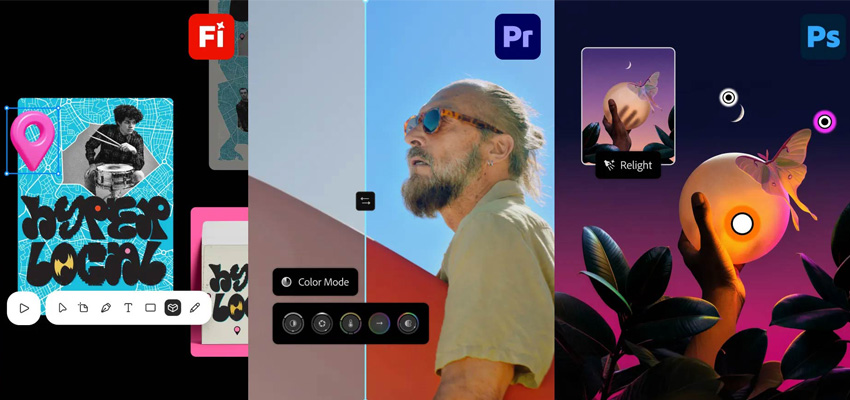
Photoshop is introducing new ways to explore, edit and refine your images, giving you more control to experiment with new ideas and perfect every detail. Relight creatively adds new light sources that dynamically and naturally blend into the scene using non-destructive control, allowing you to adjust their position, colour and brightness to bring your vision to life.
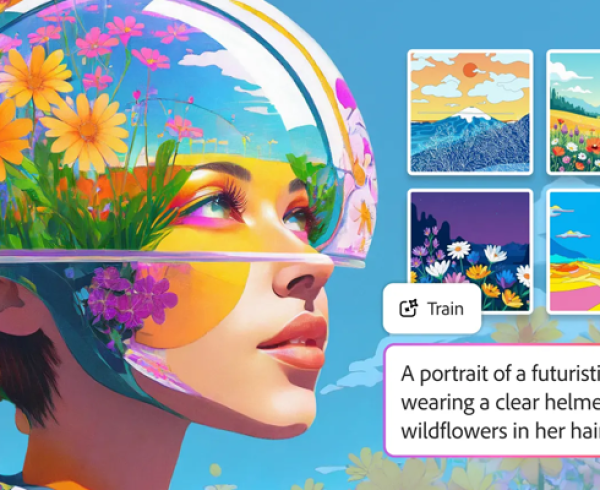
With Generative Restyle, you can explore and fine-tune creative variations by typing a description in Prompt to edit, converting the result to a layer, and using the generated custom slider to precisely refine the intensity without needing to re-prompt.
Adobe is making every day editing easier too. The Remove Tool (related elements) now intelligently detects associated surrounding elements, such as footprints, reflections, shadows and waves, to more seamlessly reconstruct an environment when removing an object.
Quick Compare makes it easier to review your edits by instantly comparing before-and-after versions with an on-canvas split screen slider, without having to manually hide individual layers.
AI Assisted Editor offers a simplified, AI-first editing experience that brings generative tools and natural-language prompting to the forefront while allowing you to choose how you create with the option to conveniently switch to the Pro Editor at any time to edit with full control, precision tools and layers.
In addition, Adobe is excited to roll out new capabilities in the Photoshop beta app, including:
- Mockups (beta) to quickly and intuitively composite an image or design onto an object or surface with realistic results.
- Camera Angles (beta) to explore new viewpoints of an entire image through direct, on-canvas interactions.
- Generative Recompose (beta) to reposition an image and its related elements into a new aspect ratio while maintaining the structural composition without manual editing.
- Convert to Text Layers (beta) to extract text from a flattened image and turn it into a fully editable type layer.
- Timelapse (beta) to capture and share your entire creative process.
- Remove Ambient Effect Only (beta) to remove distracting atmospheric effects like lens flare, haze, or stray shadows or reflections, without removing any objects.
Premiere streamlines workflows and reduces app switching to keep you focused on your edit
Video editing often pulls you into work outside the cut, whether you’re searching for a missing shot, cleaning up audio or working through colour. The latest Premiere innovations bring more of that work directly into the editing experience.
Colour Mode, a new colour-grading experience built specifically for video editors, is now generally available. It supports everything from quick corrections to more advanced grades while keeping your video as the focus.
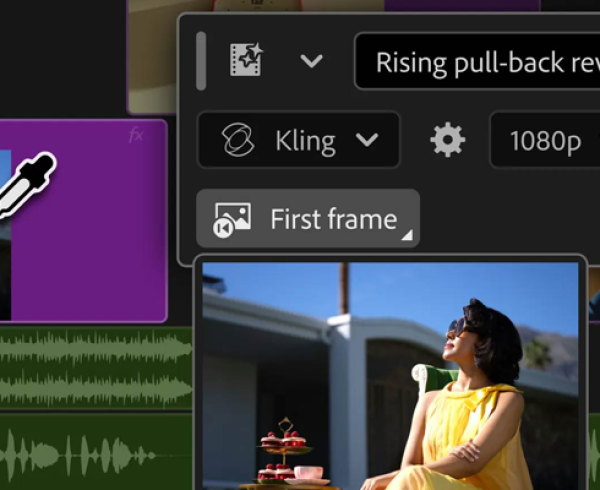
The Generative Media tool brings Generate Video, Generate Sound Effects, Generate Soundscape and Generate Music directly into your timeline in Premiere. You can generate missing b-roll, background music or sound for a scene using context from your edit, then keep refining the result in your timeline. You can also choose from Adobe Firefly and models from partners including Google, Kling, Runway and Luma based on the creative needs of your project.
New audio tools can help rescue a difficult recording and give you more flexibility in the mix. Enhance Audio allows you to separate audio sources and then mix them independently — including dialogue, music, ambience and sound effects. Separate Crosstalk separates overlapping speakers into intendent tracks, and Separate Sound Source allows you to clean up noisy dialogue and break audio into individual elements.
Adobe is also excited to introduce the new Generative Remove tool (beta) in Premiere, bringing you the power to remove unwanted objects, like boom mics and logos or background distractions, directly on your timeline. Simply mask and track the object, click Remove, and Premiere fills the area with realistic detail while leaving the rest of the clip untouched.
Achieve your best shots, faster with new Lightroom capabilities
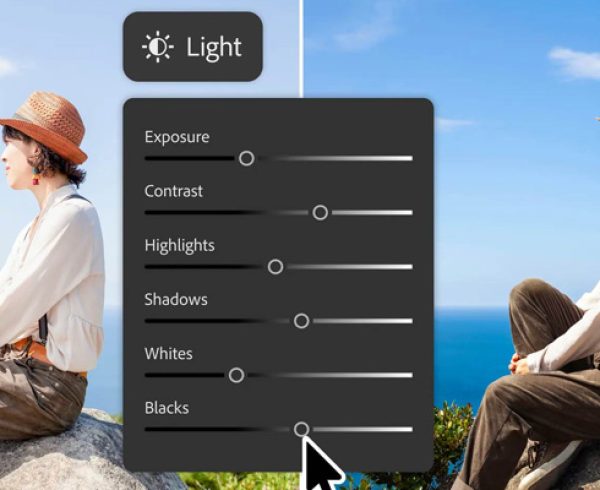
A great photo can come down to the details, and Lightroom is introducing new tools to help you get the result you want faster, both during and after the shoot. Glow adds soft, cinematic light to your photos, from a subtle hazy Diffusion to a retro-film style Halation. Start with a Preset or jump right into the precision editing to shape exactly how the light spreads and glows.
Blemish Removal, loved in Lightroom on mobile, is now available in Lightroom with additional controls for professional workflows. Retouch in one tap, then fine-tune while keeping natural skin features like freckles. Camera Tethering is now improved and expanded across Lightroom on Desktop and iPad, giving you an end-to-end workflow directly in Lightroom, with more flexibility to review, collaborate and organise while you shoot.
Open Eyes, available in public beta, can easily save a great photo from an untimely blink. It replaces closed eyes with natural-looking results, using a reference image of that person from your library. Select the reference image yourself or let Open Eyes find one for you.
Work faster through the details in Illustrator and InDesign
Adobe is continuing to improve many of the everyday workflows designers rely on in Illustrator and InDesign. In Illustrator, refreshed content libraries offer new brushes, graphic styles, patterns and gradients, and new on-canvas Blend controls make it easier to develop and refine designs with a persistent control panel and live preview.
In InDesign, Co-editing in public beta lets multiple designers work on the same layout in real time. Flex Layout can dynamically resize text frames as content changes, while Check Document and Rewrite help identify common editorial and accessibility issues while you’re still working.
Deeper integration to take on the busy work
Bringing your creative vision to life can often come with tedious tasks that take you away from the core of your work. From organisng files, repeating production steps or working through long processes one click at a time. Now, the Adobe Creative Agent can take on more of that work directly within the Creative Cloud products you already use.
AI Assistant (beta) is available in Adobe’s flagship desktop products including Premiere, Illustrator, InDesign, After Effects and Frame.io, giving you a way to describe what you need and execute complex, multi-step tasks in the context of your work. You stay involved throughout the process and can refine the result directly with familiar Creative Cloud tools.
Adobe is also previewing MCP integrations that will let you keep working from the third-party agent you already use while it calls on Photoshop, Illustrator, Premiere and After Effects when a task needs them. Because it runs locally on your computer, your agent works directly in your native project files, and your layers, vectors, bins and sequences stay editable. Need to remove a logo from campaign assets? Make the change once, then ask your agent to cascade it across the rest of the campaign, and step in at any moment to refine the work by hand. If your agent is also connected to other MCP tools like Google Drive or Slack, it can pull in a project brief from Google Docs, work on it in Adobe’s tools and share the result with your team via Slack. MCP integrations are coming to Creative Cloud customers in early 2027.
Build more of your creative workflow in Firefly
Firefly is Adobe’s all-in-one AI creative studio, and they’re expanding it to create new ways for you to design, explore, build and develop the workflows behind your work including:
Firefly Design (beta), brings raster, vector, motion, 3D and print together on a single canvas for creating, collaborating, reviewing and delivering work. With precision tools and AI assistance available throughout the workflow, and client review and export built in, you can move from early concept to delivery without splitting your project across different surfaces.
Firefly Graph (beta) gives you a way to build creative processes that you can use again and again. Graph brings leading AI models together with Adobe’s product tools to enable custom and repeatable AI-integrated workflows that you can adjust and share with your team.
Adobe is also previewing Firefly Builder in private beta. Builder lets you turn an idea into a working prototype of an interactive app, website or digital portfolio, while maintaining consistency across iterations, combining prompting with direct editing and the ability to explore multiple creative directions in parallel.
Building creative AI around the way you work
The way you use AI should depend on the project, the task and how you like to create. An assistant can help organise a project or work through a time-consuming process. Firefly can extend your work into new mediums and ways of working to advance your craft further. Generative tools can help you explore an idea or solve a production challenge. When you need to refine your creative vision, you can continue working directly in the Creative Cloud tools you know.
That flexibility is central to how Adobe is building Creative Cloud and Firefly. They want to give you more time and space to develop your ideas, apply your expertise and make the creative decisions that shape the final work. Get in touch with the Dax Data team to find out more.