•   sales@daxdata.co.za
  • +27 (0)21 683 3861
  • Marketplace Login
  • “Adobe
Dax DataDax DataDax DataDax Data
  • Home
  • Solutions
    • Creative Cloud
    • Adobe Express
    • Adobe Firefly
    • e-Learning
      • Adobe Captivate
      • Adobe Learning Manager
      • Adobe Connect
    • Document Cloud
      • Adobe Acrobat DC
      • Adobe Acrobat Sign
      • Adobe Acrobat AI Assistant
      • Adobe Acrobat Studio
    • Adobe Substance
  • Partners
  • News
    • Blog
    • Press Office
    • Newsletter
  • Support
  • About Us
  • Contact

Reimagine Your Creative Workflow with New Photoshop Innovations

    Home Adobe Creative Cloud Reimagine Your Creative Workflow with New Photoshop Innovations

    Reimagine Your Creative Workflow with New Photoshop Innovations

    By editor | Adobe Creative Cloud | Comments are Closed | 1 October, 2026 | 0

    Great tools amplify your creativity while allowing you to focus on your ideas. Adobe is introducing a new set of Photoshop innovations to give you more choice in how you create, more flexibility in how you work, and more control over your results. Whether you’re refining details with precision tools or exploring ideas through prompts, these updates are designed to help you work with greater efficiency and confidence so you can stay focused on your creative vision from start to finish.

    More precision, less friction, greater creative control

    As a creative professional, your time is your critical resource, and you want technology that streamlines the busywork without sacrificing the discretion and judgment that defines your craft.

    Sharper, more precise editing:

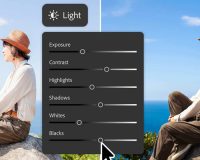
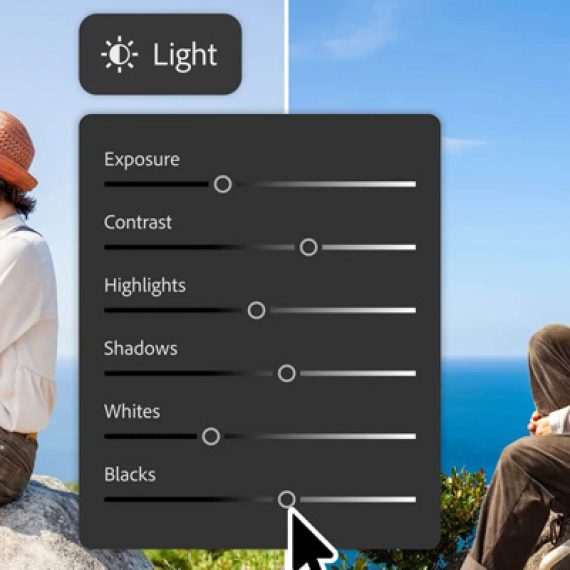
    • Light Adjustment Layer gives you professional-grade lighting controls — Exposure, Contrast, Highlights, Shadows, Whites, and Blacks — in a new non-destructive adjustment layer, so you get Camera Raw-level results without ever leaving your Photoshop layers workflow.
    • Instruct Edit with Masks, powered by Firefly Image 5, understands the full context of your image so you no longer need to precisely mark every edit area yourself. Just describe the precise edits you’re looking for — such as opening closed eyes or placing a hat on a specific person’s head — with simple prompts. The unmasked areas remain untouched so your other important elements, like faces, logos, or brand assets, are protected.
    • Markup lets you visually communicate edits by drawing directly on an image to show the model what you want — select areas to recolour, sketch arrows to indicate position, or brush in rough shapes to suggest new elements — so you can get results that more closely match your vision while reducing the ambiguity of text-only prompts.
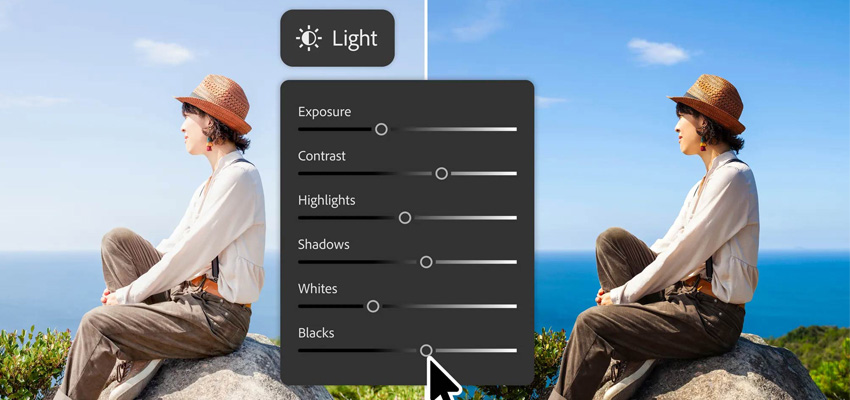
    PS Updates 26-10-1

    More control, fewer interruptions:

    • Dynamic Text, Shapes and Paths extends Photoshop’s Dynamic Text to any custom shape or path, allowing text to adapt automatically along curves and freeform layouts so you keep your formatting without manual rework.
    • Stock Panel Integration puts more than 900 million Adobe Stock assets right inside Photoshop in a dockable panel, so you can easily discover, preview, and use assets without leaving your workflow.

    More flexibility in how you work

    Everyone moves from idea to execution in different ways, which is why Adobe is adding more choice by bringing in a new optional space in Photoshop to try prompt-based editing outside the familiar Pro Editor workflow.

    Introducing AI Assisted Editor

    The AI Assisted Editor, now in beta, gives you the option of using a dedicated interface and natural-language prompt bar alongside popular generative tools powered by leading AI models, so you can explore ideas and make edits using simple prompts.

    PS Updates 26-10-2

    AI Assisted Editor includes:

    • Prompt to Edit: Transform images using natural language prompts without complex manual editing.
    • Remove Background: Erase backgrounds, refine edges, and customise images in just a few clicks.
    • Generative Expand: Extend image dimensions and generate content that blends naturally with your composition.
    • Remove Tool: Eliminate unwanted objects and distractions while maintaining realistic image quality.
    • Generative Fill: Add, replace, or remove content using simple text prompts.
    • Generative Upscale: Increase image resolution while preserving sharpness and visual fidelity.
    • AI Markup: Annotate images to communicate edits visually and generate more precise results.

    Prefer to keep working in the Pro Editor? Prompt to Edit offers the same natural language editing directly in the Pro Editor’s Contextual Task Bar, so you can transform an entire image using simple prompts, with no selection required, right from the context bar you’re already using. Every Prompt to Edit result becomes a generative layer in your layer stack, so your edits stay organised and non-destructive.

    Whether you prefer prompts, precision tools, or a combination of both, Photoshop offers the flexibility to support the way you create. Start exploring what’s new in Photoshop today – let the Dax Data team guide you on choosing the right plan for your needs.
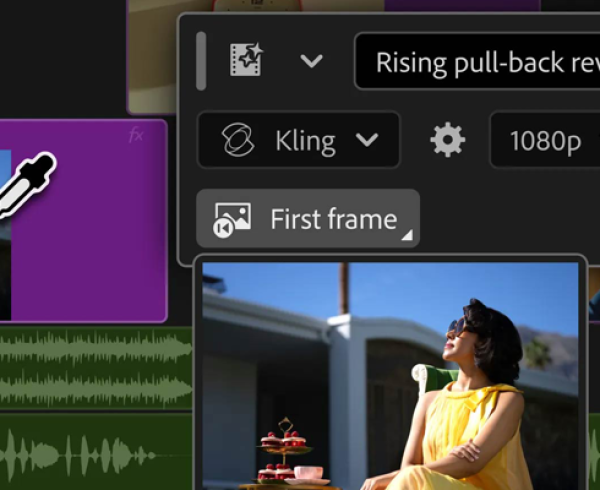
    Adobe Photoshop, Adobe Stock

    Related Post

    • Bring Ideas to Life Faster with AI-Powered Creation Tools in Adobe Premiere and After Effects

      By editor | Comments are Closed

      Every professional video editor knows the feeling: you’re deep in a cut, and everything’s clicking…until it isn’t. You’re missing a b-roll shot to cover an awkward transition, or the perfect sound effect, forcing you toRead more

    • Create More Content, Faster with Adobe Firefly for Teams

      By editor | Comments are Closed

      Dax Data is excited to bring Adobe Firefly for Teams to market, empowering customers with next-generation AI content creation and opening the door to new business and revenue opportunities. Firefly for Teams makes it easierRead more

    • Meet the New Adobe Firefly: Intelligent AI Agents and a More Powerful Creative Experience

      By editor | Comments are Closed

      Adobe has built Firefly as an all-in-one creative AI studio and they’re introducing new capabilities that remove even more of the friction between imagination and finished work. Firefly AI Assistant (beta), powered by Adobe’s creative agent, now includesRead more

    • New Creative Cloud Features Streamline Every Stage of the Creative Process

      By editor | Comments are Closed

      Have you ever spent hours manually reviewing thousands of photos from an event or portrait shoot to find the selects your clients will love? Redrawn a roto mask from scratch because the footage moved? TakenRead more

    • Big Creative Power for Small Teams: Creative Cloud Standard Now Available for Teams with 1-9 Users

      By editor | Comments are Closed

      Great news for small businesses, creative agencies, and growing teams: Adobe Creative Cloud Standard for Teams is now available to organisations requiring 1-9 seats, expanding eligibility beyond the previous 2-9 seat requirement. This makes itRead more

    Recent Posts

    • 1 October, 2026
      Comments Off on Bring Ideas to Life Faster with AI-Powered Creation Tools in Adobe Premiere and After Effects

      Bring Ideas to Life Faster with AI-Powered Creation Tools in Adobe Premiere and After Effects

    • 1 October, 2026
      Comments Off on Reimagine Your Creative Workflow with New Photoshop Innovations

      Reimagine Your Creative Workflow with New Photoshop Innovations

    • 1 September, 2026
      Comments Off on Adobe Announces Important Changes to the VIP Marketplace License Access Period

      Adobe Announces Important Changes to the VIP Marketplace License Access Period

    • 1 September, 2026
      Comments Off on Introducing Adobe for Slack: Turn your ideas and conversations into high-quality content

      Introducing Adobe for Slack: Turn your ideas and conversations into high-quality content

    Tags

    Acrobat DC Adobe Adobe Acrobat DC Adobe Acrobat Sign Adobe After Effects Adobe Captivate Adobe Captivate Prime Adobe Connect Adobe Creative Cloud Adobe Express Adobe Firefly Adobe Illustrator Adobe InDesign Adobe Photoshop Adobe Photoshop Lightroom Adobe Premiere Adobe Premiere Pro Adobe Sign Adobe Stock Adobe Substance 3D Adobe XD Android Collaboration Creative Cloud Devices digital transformation e-signatures eLearning iOS iPad Microsoft Mobile Newsletter Online Photography Photoshop Productivity Promo Promotion South Africa updates Virtual Platform Web conferencing Webinar Webinars

    Categories

    • Adobe
    • Adobe Acrobat Studio
    • Adobe Animate
    • Adobe Connect
    • Adobe Connect
    • Adobe Creative Cloud
    • Adobe Document Cloud
    • Adobe Photoshop
    • Adobe Photoshop Sketch
    • AppRiver
    • Collaboration
    • Compliance
    • Creative Cloud
    • Digital Imaging
    • Digital Publishing Suite
    • eLearning
    • Micro Focus
    • Microsoft
    • Newsletter
    • Office Productivity
    • Other
    • Photography
    • Security & Management
    • Tutorial
    • Uncategorized
    • Dax Data Logo
    •   Unit 1 Melomed Office Park
      Punters Way
      Kenilworth
      Cape Town
      7708
    •   +27 (0)21 683 3861
    •   0860 101 604
    •   sales@daxdata.co.za

    Useful Links

    • Creative Cloud
    • e-Learning
    • Document Cloud
    • Newsletter
    • Marketplace Login

    Recent Posts

    • Bring Ideas to Life Faster with AI-Powered Creation Tools in Adobe Premiere and After Effects

      Every professional video editor knows the feeling: you’re deep in a cut,

      1 October, 2026
    • Reimagine Your Creative Workflow with New Photoshop Innovations

      Great tools amplify your creativity while allowing you to focus on your

      1 October, 2026
    Copyright © 2025 Dax Data. All Rights Reserved.  |  Privacy Policy
    • Home
    • Solutions
      • Creative Cloud
      • Adobe Express
      • Adobe Firefly
      • e-Learning
        • Adobe Captivate
        • Adobe Learning Manager
        • Adobe Connect
      • Document Cloud
        • Adobe Acrobat DC
        • Adobe Acrobat Sign
        • Adobe Acrobat AI Assistant
        • Adobe Acrobat Studio
      • Adobe Substance
    • Partners
    • News
      • Blog
      • Press Office
      • Newsletter
    • Support
    • About Us
    • Contact
    Dax Data