•   sales@daxdata.co.za
  • +27 (0)21 683 3861
  • Marketplace Login
  • “Adobe
Dax DataDax DataDax DataDax Data
  • Home
  • Solutions
    • Creative Cloud
    • Adobe Express
    • Adobe Firefly
    • e-Learning
      • Adobe Captivate
      • Adobe Learning Manager
      • Adobe Connect
    • Document Cloud
      • Adobe Acrobat DC
      • Adobe Acrobat Sign
      • Adobe Acrobat AI Assistant
      • Adobe Acrobat Studio
    • Adobe Substance
  • Partners
  • News
    • Blog
    • Press Office
    • Newsletter
  • Support
  • About Us
  • Contact

10 Ways to Restore Focus During Virtual Training

    Home Adobe Connect 10 Ways to Restore Focus During Virtual Training

    10 Ways to Restore Focus During Virtual Training

    By editor | Adobe Connect | Comments are Closed | 1 March, 2025 | 0

    Studies show that over 40% of virtual training participants admit to multitasking during sessions, meaning they’re not fully focused on the content. But it doesn’t have to be that way! With the right strategies and tools, you can recapture their attention and transform your virtual sessions into engaging, impactful experiences.

    Proven strategies to improve engagement

    Keeping learners engaged and focused in a virtual environment isn’t easy. From zoning out to needing quick re-energisers, it’s crucial to implement strategies that keep them attentive and active. Whether it’s interactive experiences or dynamic tools, a thoughtful approach makes all the difference.

    Here are ten proven strategies to bring learner focus back using Adobe Connect and elevate your virtual training sessions.

    • Use engaging polls to spark participation

    Polls are a simple yet powerful way to boost engagement. They break up the session’s monotony and give participants something interactive to do. The right platform will let you insert polls to gather opinions or test understanding at any point.

    Example: Halfway through a session, ask a question using a poll like, “What’s been the most useful takeaway so far?”. This not only refocuses learners but also provides valuable feedback.

    Polls in Adobe Connect
    • Switch up layouts for better engagement

    Staring at the same screen for too long can cause anyone to zone out. Choose a platform like Adobe Connect that lets you change layouts seamlessly to keep your sessions dynamic. Introductions, group activities, and conclusions can all have unique layouts, creating natural transitions that refresh attention.

    Example: Use one layout for your lecture with slides and another for a group activity. The change in visuals signals learners that something new is happening.

    • Break it down with Breakout rooms

    Group work in Breakout rooms encourages active participation and discussion. Breakout rooms in Adobe Connect lets the host divide learners into smaller groups for collaboration before coming back together to share insights.

    Example: After covering a key topic, divide learners into Breakout rooms to solve a related problem. This ensures everyone engages and contributes actively.

    • Adopt adaptive training strategies

    Real-time engagement insights are game changers. The Adobe Connect Engagement Dashboard helps you monitor how participants interact, letting you adjust the pace, content, or delivery on the fly for a more responsive experience.

    Example: If engagement drops, switch gears—ask a spontaneous question or initiate a group activity to pull them back in.

    Watch this video on how can you track and improve engagement in virtual training.

    • Keep learners on their toes with quizzes

    Quizzes aren’t just for assessments—they’re great for regaining focus. Quiz Pods in Adobe Connect let you insert quizzes throughout your training to test knowledge and maintain attention.

    Example: Throw in a quick quiz 20 minutes into your session to recap key points. Learners will stay more attentive, knowing they might be tested at any moment.

    • Use video, audio, and animation for interaction

    Slides alone can become tiresome. Spice things up with embedded videos, animations, and other multimedia elements to break the monotony and keep learners engaged.

    Example: Show a short video to explain a complex concept rather than using static slides. This visual break refreshes learners and keeps their focus intact.

    • Create interactive whiteboard sessions

    Turn passive listening into active participation with an interactive whiteboard. Invite learners to draw or write directly on the whiteboard during brainstorming sessions.

    Example: Ask participants to contribute ideas on the whiteboard during a brainstorming activity. This makes them feel like active contributors, not just passive viewers.

    • Use emojis and reactions to keep it fun

    Sometimes, simple tools are the most effective. Many platforms allow learners to use emojis and reactions (like thumbs-up or laughter) to express themselves without interrupting the session.

    Example: Encourage participants to drop a heart emoji if they agree or a thumbs-up if they’re ready to move on. It’s a fun way to gauge their reactions and maintain engagement.

    • Engage with real-time annotations

    Real-time annotations foster collaboration and focus. Platforms like Adobe Connect let participants highlight key points or add notes to shared documents, slides, or whiteboards.

    Example: Share a document and ask learners to highlight important sections or add comments. This shared activity ensures everyone is actively involved and paying attention.

    • Use games to recharge energy

    Long sessions can drain learners’ energy. Instead of a typical break, incorporate fun activities like mini-games or quizzes to re-energise them.

    Example: Set up a break layout with games like rock-paper-scissors or a short quiz. This gives learners a mental reset while keeping them engaged and ready to refocus when the session resumes.

    • Enhance virtual learning with the right platform

    Virtual training doesn’t have to be dull or disengaging. By applying the right strategies and leveraging interactive tools, you can keep learners focused, engaged, and excited about the content. The next time you notice learners drifting, don’t panic—try these tips, switch things up, and watch their focus return!

    Ready to transform your virtual training sessions?

    Contact the Dax Data team to discover how you can deliver rich and engaging learning experiences.

    eLearning

    Related Post

    • Explore Fresh Features in Adobe Connect’s Latest Release

      By editor | Comments are Closed

      Adobe is in the process of updating Adobe Connect across all customer clusters with version 12.10, which brings a number of exciting new changes for customers. In Room Changes The most noticeable change is aRead more

    • July 2021- Newsletter

      July 2021 – Newsletter

      By editor | Comments are Closed

      July 2021 – Newsletter: Out Now – Adobe Substance 3D Collection, Premiere Pro Updates, Register Now – Adobe Connect Webinar series and more.Read more

    • November- Newsletter

      November 2020 – Newsletter

      By editor | Comments are Closed

      November 2020 – Newsletter: Register to Keep Business Moving with Adobe Sign, Integrated Virtual Signing experiences, Photoshop Updates, and more.Read more

    • April 2020 – Newsletter

      By editor | Comments are Closed

      April 2020 – Newsletter: Get 90-days of Adobe Connect Free, Creative Cloud helping teams collaborate, Work smarter with Acrobat DC & Adobe Sign, and more.Read more

    • Adobe Connect extending support considering Covid-19 impact

      By editor | Comments are Closed

      Communities around the world are coming together in their efforts to endure the social and economic impacts of the COVID-19 crisis —and Adobe, too, can lend a hand.Read more

    Recent Posts

    • 25 November, 2025
      Comments Off on Adobe Premiere 25.6: Smarter Search, Speedier Edits and Effortless Collaboration

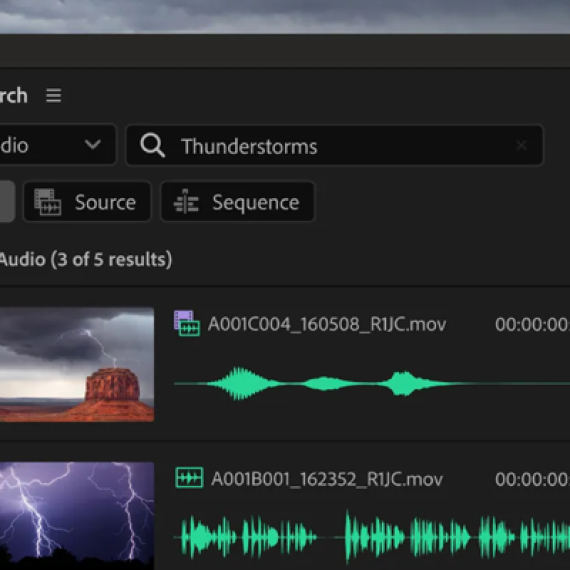
      Adobe Premiere 25.6: Smarter Search, Speedier Edits and Effortless Collaboration

    • 25 November, 2025
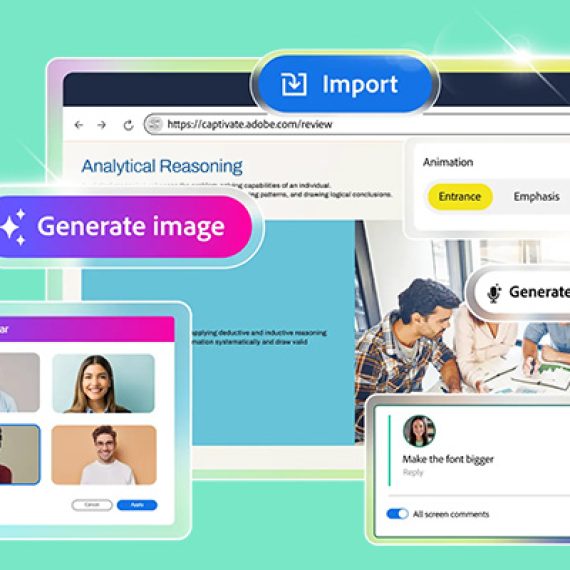
      Comments Off on Meet Adobe Captivate 13.0: Your Creative Genie for eLearning Design

      Meet Adobe Captivate 13.0: Your Creative Genie for eLearning Design

    • 1 November, 2025
      Comments Off on 11 New ways to accelerate your design journey with Adobe Creative Cloud

      11 New ways to accelerate your design journey with Adobe Creative Cloud

    • 1 November, 2025
      Comments Off on Boost Your Team’s Efficiency for Less: Dax Data’s Unmissable Black Friday Deal

      Boost Your Team’s Efficiency for Less: Dax Data’s Unmissable Black Friday Deal

    Tags

    Acrobat DC Adobe Adobe Acrobat DC Adobe Acrobat Sign Adobe After Effects Adobe Captivate Adobe Captivate Prime Adobe Connect Adobe Creative Cloud Adobe Express Adobe Firefly Adobe Illustrator Adobe Photoshop Adobe Photoshop Lightroom Adobe Premiere Pro Adobe Sign Adobe Stock Adobe Substance 3D Adobe XD Android Apps Collaboration Creative Cloud CTIAF Devices digital transformation e-signatures eLearning iOS iPad Microsoft Mobile Newsletter Office365 Online Photography Photoshop Productivity Promotion South Africa updates Virtual Platform Web conferencing Webinar Webinars

    Categories

    • Adobe
    • Adobe Acrobat Studio
    • Adobe Animate
    • Adobe Connect
    • Adobe Connect
    • Adobe Creative Cloud
    • Adobe Document Cloud
    • Adobe Photoshop
    • Adobe Photoshop Sketch
    • AppRiver
    • Collaboration
    • Compliance
    • Creative Cloud
    • Digital Imaging
    • Digital Publishing Suite
    • eLearning
    • Micro Focus
    • Microsoft
    • Newsletter
    • Office Productivity
    • Other
    • Photography
    • Security & Management
    • Tutorial
    • Uncategorized
    • Dax Data Logo
    •   Unit 1 Melomed Office Park
      Punters Way
      Kenilworth
      Cape Town
      7708
    •   +27 (0)21 683 3861
    •   0860 101 604
    •   sales@daxdata.co.za

    Useful Links

    • Creative Cloud
    • e-Learning
    • Document Cloud
    • Newsletter
    • Marketplace Login

    Recent Posts

    • Adobe Premiere 25.6: Smarter Search, Speedier Edits and Effortless Collaboration

      The newest version of Adobe Premiere brings next-level intelligence, speed, and collaboration to

      25 November, 2025
    • Meet Adobe Captivate 13.0: Your Creative Genie for eLearning Design

      Whether you’re starting from a PowerPoint deck, an idea scribbled on a

      25 November, 2025
    Copyright © 2025 Dax Data. All Rights Reserved.  |  Privacy Policy
    • Home
    • Solutions
      • Creative Cloud
      • Adobe Express
      • Adobe Firefly
      • e-Learning
        • Adobe Captivate
        • Adobe Learning Manager
        • Adobe Connect
      • Document Cloud
        • Adobe Acrobat DC
        • Adobe Acrobat Sign
        • Adobe Acrobat AI Assistant
        • Adobe Acrobat Studio
      • Adobe Substance
    • Partners
    • News
      • Blog
      • Press Office
      • Newsletter
    • Support
    • About Us
    • Contact
    Dax Data