•   sales@daxdata.co.za
  • +27 (0)21 683 3861
  • Marketplace Login
  • “Adobe
Dax DataDax DataDax DataDax Data
  • Home
  • Solutions
    • Creative Cloud
    • Adobe Express
    • Adobe Firefly
    • e-Learning
      • Adobe Captivate
      • Adobe Learning Manager
      • Adobe Connect
    • Document Cloud
      • Adobe Acrobat DC
      • Adobe Acrobat Sign
      • Adobe Acrobat AI Assistant
      • Adobe Acrobat Studio
    • Adobe Substance
  • Partners
  • News
    • Blog
    • Press Office
    • Newsletter
  • Support
  • About Us
  • Contact

11 New ways to accelerate your design journey with Adobe Creative Cloud

    Home Adobe Creative Cloud 11 New ways to accelerate your design journey with Adobe Creative Cloud

    11 New ways to accelerate your design journey with Adobe Creative Cloud

    By editor | Adobe Creative Cloud | Comments are Closed | 1 November, 2025 | 0

    If you make creative content for a living, your work has never been more valuable. Everyone recognises that creativity drives business growth, meaning that the people you work with often want lots of content on quick deadlines. The solution for many creative professionals is to use AI to accelerate their creative process. AI can help with the tasks that slow you down so you can concentrate on being creative.

    Adobe’s new versions of Creative Cloud and Adobe Firefly, released at Adobe MAX, include dozens of new AI-powered features and tools that will help you move faster. Here are 11 new ways you can accelerate your creative process:

    • Brainstorm effortlessly: Firefly Boards is the perfect place to let your imagination flow. You can upload inspirational images and quickly generate new ones. Remix two different assets to see how their styles combine. It’s all collaborative, so you can include your team in the process. Once you’ve decided on an approach, it’s easy to bring what you’ve got into your Creative Cloud apps to continue working.
    • Experiment widely: Adobe has brought the industry’s top AI models into Adobe Firefly and Creative Cloud. This includes access to Adobe’s commercially safe Firefly generative AI models— including the latest Firefly Image Model 5 — as well as leading models from our partners, including Google’s Gemini 2.5 (Nano Banana), among others.
    • Make your own model: Firefly Custom Models custom models allows you to upload 10 of your own images (only work you have rights to is allowed). Firefly will analyse the images and create a model — that only you can use — that produces content in your style.
    • Talk to your tools with agentic AI across Adobe’s apps: We’ve introduced AI Assistants (in beta) in Adobe Express and Photoshop that anticipate your needs, assist in coordination, and keep your projects moving so you can stay focused on your craft.
    • Sharpen your images: Nothing’s more frustrating than having the perfect image in a resolution that’s too low to use. With Generative Upscale in Adobe Photoshop — now equipped with Topaz Labs’ AI models — you can upscale and enhance small, cropped, and other low-resolution images with realistic detail, up to 56 megapixels with Topaz Gigapixel, and 9 megapixels with Topaz Bloom.
    Generative Upscale in PS
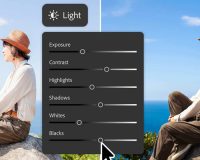
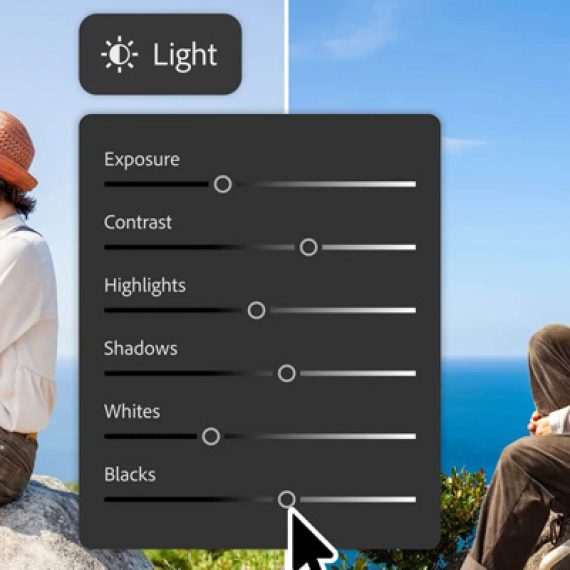
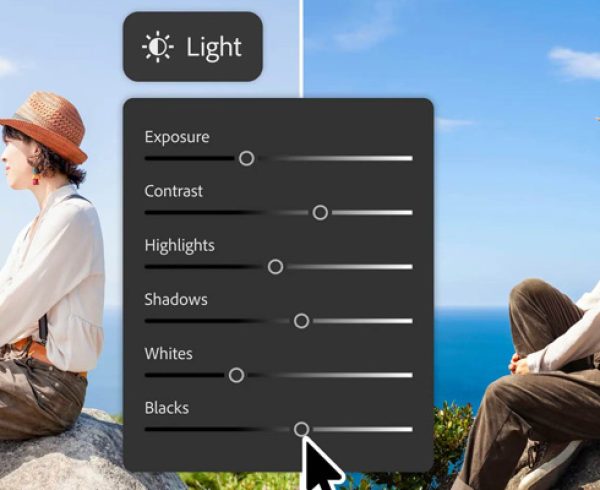
    • Make it all work together: It’s easy to take an image of a person and drop it into another scene in Photoshop. What takes time is the compositing — fixing the lighting, colours, shadows, etc. so it looks like your subject was in that scene the whole time. Now available across desktop, mobile and web, Harmonize in Photoshop makes those painstaking tweaks for you — and unlike some other AI tools, it won’t change the way the person looks.
    Harmonize in PS
    • Find your best shots: Adobe Lightroom helps you define what you’re looking for — e.g. sharp focus, everyone looking at the camera, eyes open, etc. — and the new Assisted Culling in Lightroom (public beta) will analyse your portraits and quickly pick the ones that best fit your criteria.
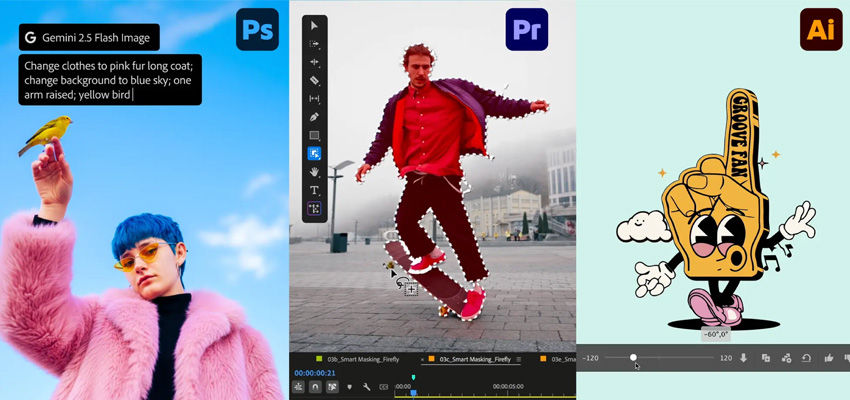
    • Get flexibility when you fill: If you’re like millions of Photoshop and Firefly users, you love Generative Fill, which lets you describe what you want to add to an image and have AI generate it. Now it’s even easier to get exactly what you want because Adobe has added partner models to Generative Fill. Describe the object you’d like to add to an image and you can have it generated by Firefly, Gemini 2.5 Flash Image (Nano Banana), or FLUX.1 Kontext [pro] and decide which image works best.
    • Free yourself from repetitive tasks: With Firefly Creative Production (private beta), you can automatically perform these and many other basic tasks on thousands of images or videos all at once — no coding required.
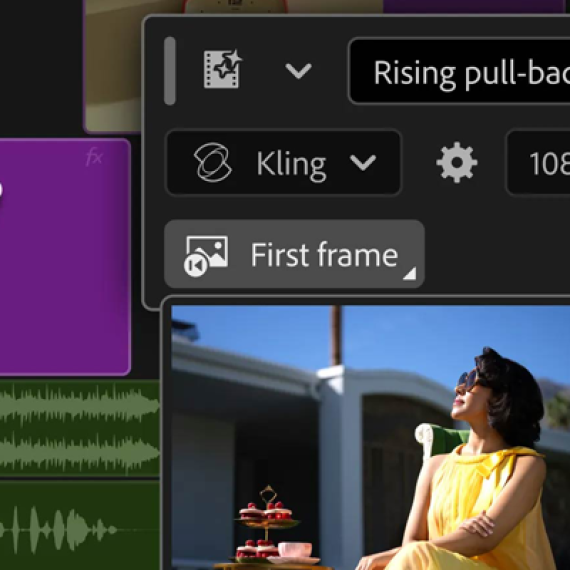
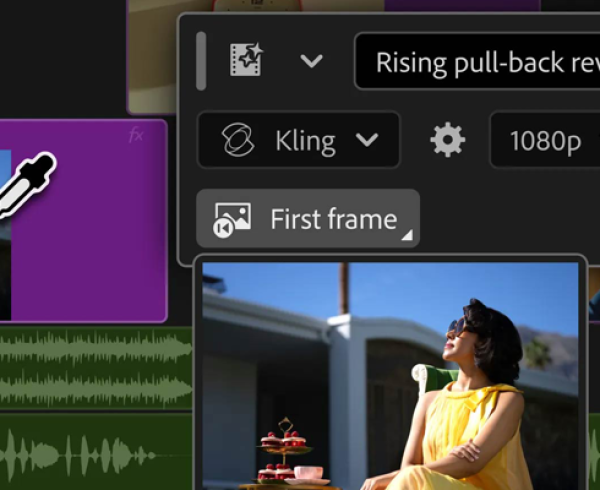
    • Make a soundtrack in seconds: Using the new Generate Soundtrack (public beta) feature in Adobe Firefly, you can create an original soundtrack that amplifies the meaning and emotion of your video, without infringing on any copyright. Either describe the kind of soundtrack you’re looking for or upload your video and have Firefly analyse it for you and suggest a good prompt. Generate Soundtrack produces music, complete with intros and outros, that matches the length of your video and its overall mood and energy.
    Generate Soundtrack
    • Easily isolate a video’s subject: You shot a one-of-a-kind video of your dog performing tricks, but you hate the ugly parking lot where he was doing it. The new AI Object Mask in Premiere (public beta) eliminates the hassle. Roughly select your beloved canine in one frame and Object Mask will separate him from the background throughout your clip.

    This list covers a lot of great new tools and timesavers, but it’s not even close to everything that Adobe has released for Creative Cloud and Firefly, including new superpowers in Adobe Illustrator, InDesign and more.

    Availability:

    Photoshop’s Generative Fill with Partner Models, Generative Upscale, and Harmonize are all generally available to customers. Premiere’s AI Object Mask, Rectangle, Ellipse and Pen Masking, and Fast Vector Mask are all available in public beta, as is Lightroom’s new AI Assisted Culling feature.

    Firefly’s Image Model 5, Generate Soundtrack, and Generate Speech are available in public beta. Firefly video editor and Firefly Custom Models are in private beta and will begin rolling out next month. AI Assistant in Photoshop is an early preview and will be available in the coming months. Contact the Dax Data team for more information.
    Adobe Firefly, Adobe Illustrator, Adobe Photoshop, Adobe Photoshop Lightroom

    Related Post

    • Meet the New Adobe Firefly: Intelligent AI Agents and a More Powerful Creative Experience

      By editor | Comments are Closed

      Adobe has built Firefly as an all-in-one creative AI studio and they’re introducing new capabilities that remove even more of the friction between imagination and finished work. Firefly AI Assistant (beta), powered by Adobe’s creative agent, now includesRead more

    • New Creative Cloud Features Streamline Every Stage of the Creative Process

      By editor | Comments are Closed

      Have you ever spent hours manually reviewing thousands of photos from an event or portrait shoot to find the selects your clients will love? Redrawn a roto mask from scratch because the footage moved? TakenRead more

    • Big Creative Power for Small Teams: Creative Cloud Standard Now Available for Teams with 1-9 Users

      By editor | Comments are Closed

      Great news for small businesses, creative agencies, and growing teams: Adobe Creative Cloud Standard for Teams is now available to organisations requiring 1-9 seats, expanding eligibility beyond the previous 2-9 seat requirement. This makes itRead more

    • From Almost to Exact: Adobe Firefly’s Latest Image Editing Upgrades

      By editor | Comments are Closed

      If you’ve ever used AI to create an image and thought, “This is close, but not quite what I imagined”, then you’re going to love Precision Flow and AI Markup, two new powerful and intuitive editing tools in AdobeRead more

    • Adobe for creativity: a new way to create with Adobe, now in Claude

      By editor | Comments are Closed

      Creative ideas and work can take shape across many places, and Adobe wants you to be able to create with the best of their tools directly in the surfaces where you work. Adobe is excitedRead more

    Recent Posts

    • 1 July, 2026
      Comments Off on Meet the New Adobe Firefly: Intelligent AI Agents and a More Powerful Creative Experience

      Meet the New Adobe Firefly: Intelligent AI Agents and a More Powerful Creative Experience

    • 1 July, 2026
      Comments Off on New Creative Cloud Features Streamline Every Stage of the Creative Process

      New Creative Cloud Features Streamline Every Stage of the Creative Process

    • 1 July, 2026
      Comments Off on Big Creative Power for Small Teams: Creative Cloud Standard Now Available for Teams with 1-9 Users

      Big Creative Power for Small Teams: Creative Cloud Standard Now Available for Teams with 1-9 Users

    • 1 June, 2026
      Comments Off on From Almost to Exact: Adobe Firefly’s Latest Image Editing Upgrades

      From Almost to Exact: Adobe Firefly’s Latest Image Editing Upgrades

    Tags

    Acrobat DC Adobe Adobe Acrobat DC Adobe Acrobat Sign Adobe After Effects Adobe Captivate Adobe Captivate Prime Adobe Connect Adobe Creative Cloud Adobe Express Adobe Firefly Adobe Illustrator Adobe InDesign Adobe Photoshop Adobe Photoshop Lightroom Adobe Premiere Pro Adobe Sign Adobe Stock Adobe Substance 3D Adobe XD Android Collaboration Creative Cloud CTIAF Devices digital transformation e-signatures eLearning iOS iPad Microsoft Mobile Newsletter Online Photography Photoshop Productivity Promo Promotion South Africa updates Virtual Platform Web conferencing Webinar Webinars

    Categories

    • Adobe
    • Adobe Acrobat Studio
    • Adobe Animate
    • Adobe Connect
    • Adobe Connect
    • Adobe Creative Cloud
    • Adobe Document Cloud
    • Adobe Photoshop
    • Adobe Photoshop Sketch
    • AppRiver
    • Collaboration
    • Compliance
    • Creative Cloud
    • Digital Imaging
    • Digital Publishing Suite
    • eLearning
    • Micro Focus
    • Microsoft
    • Newsletter
    • Office Productivity
    • Other
    • Photography
    • Security & Management
    • Tutorial
    • Uncategorized
    • Dax Data Logo
    •   Unit 1 Melomed Office Park
      Punters Way
      Kenilworth
      Cape Town
      7708
    •   +27 (0)21 683 3861
    •   0860 101 604
    •   sales@daxdata.co.za

    Useful Links

    • Creative Cloud
    • e-Learning
    • Document Cloud
    • Newsletter
    • Marketplace Login

    Recent Posts

    • Meet the New Adobe Firefly: Intelligent AI Agents and a More Powerful Creative Experience

      Adobe has built Firefly as an all-in-one creative AI studio and they’re introducing new

      1 July, 2026
    • New Creative Cloud Features Streamline Every Stage of the Creative Process

      Have you ever spent hours manually reviewing thousands of photos from an

      1 July, 2026
    Copyright © 2025 Dax Data. All Rights Reserved.  |  Privacy Policy
    • Home
    • Solutions
      • Creative Cloud
      • Adobe Express
      • Adobe Firefly
      • e-Learning
        • Adobe Captivate
        • Adobe Learning Manager
        • Adobe Connect
      • Document Cloud
        • Adobe Acrobat DC
        • Adobe Acrobat Sign
        • Adobe Acrobat AI Assistant
        • Adobe Acrobat Studio
      • Adobe Substance
    • Partners
    • News
      • Blog
      • Press Office
      • Newsletter
    • Support
    • About Us
    • Contact
    Dax Data