•   sales@daxdata.co.za
  • +27 (0)21 683 3861
  • Marketplace Login
  • “Adobe
Dax DataDax DataDax DataDax Data
  • Home
  • Solutions
    • Creative Cloud
    • Adobe Express
    • Adobe Firefly
    • e-Learning
      • Adobe Captivate
      • Adobe Learning Manager
      • Adobe Connect
    • Document Cloud
      • Adobe Acrobat DC
      • Adobe Acrobat Sign
      • Adobe Acrobat AI Assistant
      • Adobe Acrobat Studio
    • Adobe Substance
  • Partners
  • News
    • Blog
    • Press Office
    • Newsletter
  • Support
  • About Us
  • Contact

Adobe Photoshop unlocks creative collaboration with Live Co-Editing!

    Home Adobe Creative Cloud Adobe Photoshop unlocks creative collaboration with Live Co-Editing!

    Adobe Photoshop unlocks creative collaboration with Live Co-Editing!

    By editor | Adobe Creative Cloud | Comments are Closed | 1 February, 2025 | 0

    Adobe is starting off 2025 by making collaboration in Adobe Photoshop more seamless than ever. They are thrilled to bring Live Co-Editing to Photoshop and invite you to sign up for beta testing in the Photoshop desktop (beta) and web applications.

    Now, multiple creators can simultaneously access and edit documents from different computers — unlocking shared creativity and collaboration. This game-changing advancement, informed by community input, accelerates content creation, streamlines communication and improves creative collaboration for creators, teams and educators.

    • Multiple designers can simultaneously work on a Photoshop document, splitting tasks to tackle and complete projects more efficiently, together.
    • Creative teams at large enterprises can collaborate on highly matrixed projects, solicit stakeholder input and address feedback all in a single file.
    • Creators can collect client feedback more intuitively by inviting them to directly collaborate on a file, view edits and make comments.
    • Students can follow along live as educators demonstrate workflows and teach techniques in Photoshop. Comments and edits can be made directly in a student’s document by teachers to help enhance learning and contextualise feedback.

    Adobe deeply values feedback from their community and encourage creators to sign up to test Live Co-Editing in Photoshop. Sign up using the registration screener so you can test drive this new technology and influence how it evolves.

    Be sure to check out the most popular recent community-driven innovations in Photoshop:

    Popular community-driven innovations

    Photoshop launched dozens of innovative features and capabilities in 2024 that improved adjustments, compositing, selecting and typography workflows, all informed by community feedback. Try out these popular capabilities if you haven’t already by updating your Photoshop app to the latest version.

    Remove Tool with Distraction Removal

    The Distraction Removal capability in the Remove Tool automatically detects and removes wires and people from the background and replaces them with generated content while preserving image integrity, depth, and complex details.

    You can remove multiple unwanted elements from a photo, like tourists in the background of your travel photos or pesky power lines disrupting your beautiful landscape image, which significantly simplifies your workflows and saves effort on tedious editing tasks.

    Improved Font browser

    Improved Font Browser

    For projects focused on typography, use the improved Font browser to search, filter, live preview, and use 25,000+ free and licensed fonts from the cloud without leaving the Photoshop application.

    Search fonts by name, explore different dialects, and find the perfect typeface for any aesthetic without interrupting your workflows. Once a new font is added from the cloud, it will automatically sync across all your Photoshop devices and Adobe Creative Cloud desktop applications for a continuous editing experience.

    Selection Brush

    The Selection Brush enables you to easily and more intuitively select and adjust specific areas of an image. With a brush, you can change the settings for opacity and hardness and create selections with varying transparency, feathered edges, and more realistic and nuanced effects. The Selection Brush provides more control, flexibility, and intuitiveness whether you are selecting, compositing, adjusting, and generating content.

    Generative AI with the latest Adobe Firefly Image Model

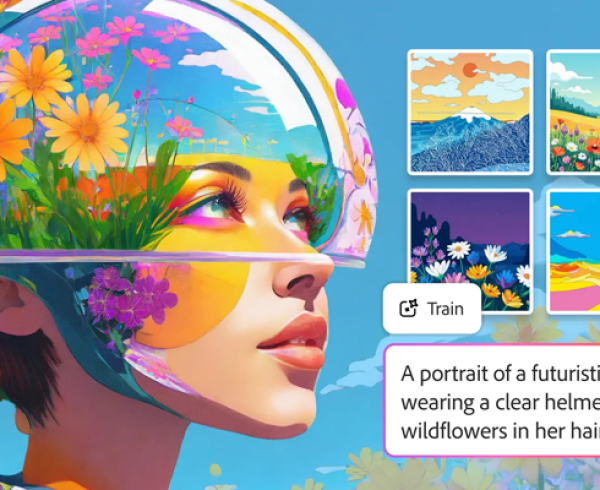
    Generative Fill, Generative Expand, and Generate Similar are now powered by the latest Adobe Firefly Image Model, which yields greatly improved photographic quality, better prompt comprehension to understand complex descriptions, and generation variety to explore different results.

    Adjustment Brush Tool

    With the Adjustment Brush Tool, you can now paint on adjustments to brightness, saturation, exposure, and more when you want to change a specific part of your image.

    Custom Adjustment Presets

    Use over 30 Adjustment Presets to change images in one click. Create and save custom presets, export them to share, and import new favourites.

    Enhance Detail

    Use Enhance Detail to boost sharpness and detail on your Generative Fill creations. Get results with greater clarity that blend more seamlessly with the existing image.

    Bullets and Numbering Support for the Type Tool

    When using the Type Tool, you can now create bulleted and numbered lists in Photoshop with a single click, saving you from repetitive manual formatting.

    Improved Contextual Task Bar (for Shapes and Transform workflows)

    The improved Contextual Task Bar now includes popular settings that help you work with Shapes or Transform and rotate objects, so you can avoid menu-diving and work more efficiently.

    OpenColorIO (OCIO) support and 32-bit HDR workflows

    OCIO support is now available in Photoshop on desktop, allowing you to control, convert, and preserve colour workflows at higher quality across programmes. An expanded set of Photoshop tools is now compatible with 32-bit HDR images, enabling you to complete common workflows without converting images to 16-bit or 8-bit, which reduces image fidelity and colour accuracy.

    Language support for Vietnamese & Indonesian

    Photoshop now offers new language support for Indonesian and Vietnamese.

    Sign up to try new capabilities today

    The Adobe community continuously informs and guides Photoshop’s product development process. The ideas and feedback they receive are invaluable — unlocking new perspectives and helping Adobe build valuable, relevant solutions. Adobe is committed to continuing to deliver new professional-level capabilities to empower all the talented designers, artists, photographers and others that they serve who use Photoshop.

    Best-in-class design tools

    Explore all the new Adobe Photoshop features now and iterate and create faster. Contact the Dax Data team for more details on plans and pricing.

    Adobe Photoshop

    Related Post

    • Discover AI driven video editing enhancements and major motion design updates across Adobe Premiere and After Effects

      By editor | Comments are Closed

      The recent updates to Premiere and After Effects give editors and motion designers faster, more intuitive ways to work while maintaining creative flow and intent. These updates open entirely new ways to tell stronger stories with your effects:Read more

    • Better Value, Smarter Creativity: Introducing Creative Cloud Standard for Teams

      By editor | Comments are Closed

      Dax Data is excited to announce the availability of Creative Cloud Standard for Teams from the 2nd of March 2026 in South Africa, Kenya, Tanzania, Mauritius and Ghana. This solution is available to NEW Adobe Creative CloudRead more

    • New Photoshop Innovations Deliver Unmatched Control, Realism and Precision

      By editor | Comments are Closed

      If you’re a creative professional, you move fast, chasing an idea from first spark to final pixel, and the smallest amount of friction can slow your creative output. Whether you’re compositing multiple elements into aRead more

    • Revolutionise Photo Editing with Photoshop in ChatGPT

      By editor | Comments are Closed

      Adobe is empowering anyone to edit with Photoshop directly in ChatGPT, making this iconic creativity tool accessible for everyone. If you have an idea, you can use Photoshop for ChatGPT to make edits to photos,Read more

    • Adobe Premiere 25.6: Smarter Search, Speedier Edits and Effortless Collaboration

      By editor | Comments are Closed

      The newest version of Adobe Premiere brings next-level intelligence, speed, and collaboration to every part of your video workflow. Whether you’re cutting on your desktop or on the go, Premiere now brings a family of toolsRead more

    Recent Posts

    • 1 April, 2026
      Comments Off on Discover AI driven video editing enhancements and major motion design updates across Adobe Premiere and After Effects

      Discover AI driven video editing enhancements and major motion design updates across Adobe Premiere and After Effects

    • 1 April, 2026
      Comments Off on Elevate Your Adobe Connect Room with Custom Virtual Backgrounds

      Elevate Your Adobe Connect Room with Custom Virtual Backgrounds

    • 1 April, 2026
      Comments Off on The Offers You’ve Been Waiting For Are Back: Save Up to 50% on Adobe Acrobat Sign Transactions

      The Offers You’ve Been Waiting For Are Back: Save Up to 50% on Adobe Acrobat Sign Transactions

    • 1 March, 2026
      Comments Off on Adobe Connect Introduces New Features to Enhance Virtual Experiences

      Adobe Connect Introduces New Features to Enhance Virtual Experiences

    Tags

    Acrobat DC Adobe Adobe Acrobat DC Adobe Acrobat Sign Adobe After Effects Adobe Captivate Adobe Captivate Prime Adobe Connect Adobe Creative Cloud Adobe Express Adobe Firefly Adobe Illustrator Adobe Photoshop Adobe Photoshop Lightroom Adobe Premiere Pro Adobe Sign Adobe Stock Adobe Substance 3D Android Apps Collaboration Creative Cloud CTIAF Devices digital transformation e-signatures eLearning iOS iPad Microsoft Mobile Newsletter Office365 Online Photography Photoshop Productivity Promo Promotion South Africa updates Virtual Platform Web conferencing Webinar Webinars

    Categories

    • Adobe
    • Adobe Acrobat Studio
    • Adobe Animate
    • Adobe Connect
    • Adobe Connect
    • Adobe Creative Cloud
    • Adobe Document Cloud
    • Adobe Photoshop
    • Adobe Photoshop Sketch
    • AppRiver
    • Collaboration
    • Compliance
    • Creative Cloud
    • Digital Imaging
    • Digital Publishing Suite
    • eLearning
    • Micro Focus
    • Microsoft
    • Newsletter
    • Office Productivity
    • Other
    • Photography
    • Security & Management
    • Tutorial
    • Uncategorized
    • Dax Data Logo
    •   Unit 1 Melomed Office Park
      Punters Way
      Kenilworth
      Cape Town
      7708
    •   +27 (0)21 683 3861
    •   0860 101 604
    •   sales@daxdata.co.za

    Useful Links

    • Creative Cloud
    • e-Learning
    • Document Cloud
    • Newsletter
    • Marketplace Login

    Recent Posts

    • Discover AI driven video editing enhancements and major motion design updates across Adobe Premiere and After Effects

      The recent updates to Premiere and After Effects give editors and motion designers faster, more

      1 April, 2026
    • Elevate Your Adobe Connect Room with Custom Virtual Backgrounds

      One of the first things Alistair Lee (Sr. Product Enablement Manager, Adobe

      1 April, 2026
    Copyright © 2025 Dax Data. All Rights Reserved.  |  Privacy Policy
    • Home
    • Solutions
      • Creative Cloud
      • Adobe Express
      • Adobe Firefly
      • e-Learning
        • Adobe Captivate
        • Adobe Learning Manager
        • Adobe Connect
      • Document Cloud
        • Adobe Acrobat DC
        • Adobe Acrobat Sign
        • Adobe Acrobat AI Assistant
        • Adobe Acrobat Studio
      • Adobe Substance
    • Partners
    • News
      • Blog
      • Press Office
      • Newsletter
    • Support
    • About Us
    • Contact
    Dax Data