Whether you’re a creative professional running a small business, designing at a fashion house, or working on a graphic design team at an agency or large company, you’re likely using the industry-leading Adobe Illustrator. This is your go-to tool to explore and create unique designs with professional-level precision and scale — from logos and icons to graphics, illustrations and more.
Whatever your role or level of experience, Adobe wants the latest innovations in Illustrator to help push your imagination to new limits while you continue to maintain full creative control as you turn your vision into reality.
In this article, we’ll take a look at all the powerful tools that are part of the latest Illustrator release, that help accelerate your creative workflows, giving you more time to spend doing what matters most — creating.
Introducing Generative Shape Fill (beta)
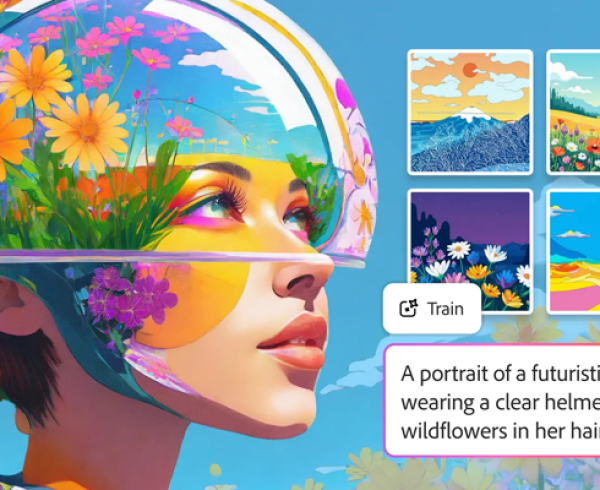
Accelerate your workflows by quickly filling shapes with detail and colour in your own style with the help of the brand-new Generative Shape Fill (beta) feature, powered by the latest Firefly Vector Model. Easily match the style and colour of your own artwork to create a wide variety of editable and scalable vector graphic options.
Generative Shape Fill will help you improve your workflow including:
- Create detailed, scalable vectors: After you draw or select your shape, silhouette, or outline in your artboard, use a text prompt to ideate on vector options to fill it.
- Style Reference for brand consistency: Create a wide variety of options that match the colour, style, and shape of your artwork to ensure a consistent look and feel.
- Add effects to your creations: Enhance your vector options further by adding styles like 3D, geometric, pixel art or more.
With Generative Shape Fill, you can ideate multiple concepts in your own unique style in just a few steps and produce high quality content more efficiently. Create a new shape or fill your existing shape such as a logo with on-brand seasonal variations of vector graphics to ideate with a client quickly. This element in your style could be added to your design for a digital or print ad, billboard, social media graphic, and more. The streamlined experience of filling shapes expedites workflows, significantly expands creative options, shortens review cycles, and frees you up to spend more time working on other important deliverables.
Enhanced Text to Pattern (beta)
Text to Pattern, also powered by the latest Firefly Vector model, is enhanced, making it easy to ideate by creating, editing, and scaling a wide variety of customised, seamless vector patterns. Save your patterns to your swatch library and apply to your graphic designs in just a few clicks. This can help further accelerate your creative process, give you more creative control over generated content, and ensure you get just the right results you want.
The Text to Pattern enhancements result in crisper generated vector graphics, new UI controls, and improved editability. As Text to Pattern can be easily accessed directly in Object > Pattern, it’s integrated into your existing pattern workflows.
Text to Pattern enables you to expand your creative horizons and create content more efficiently. Explore endless patterns for Fashion apparel and accessories, adding details to drawings and Tech Packs for better communication with clients and manufacturing partners. Ideate fabric and textile patterns for interior design mood boards, drapes, artwork, and furniture elements. Add seamless patterns to brand kits or packaging mockups and explore options before finalising designs.
Delivering even more speed and ease
Adobe is also making everyday Illustrator operations faster and smoother than ever in an ongoing effort to address user requests and help optimise your productivity.
They’re always developing so that designers have time back to dive deeper into the parts of their work that they love, and there are more powerful new innovations in Illustrator that have been transformative in strengthening graphic design and creative workflows.
Mockup (beta) delivers the ability to easily create high-quality visual prototypes of art on objects like product packaging, apparel and more by automatically adjusting the art to fit the curves and edges of the real-life object.
“Mockup is without a doubt one of those ‘where have you been all my life’ tools that designers, including myself have always asked for”, according to graphic designer and illustrator Michael Fugoso. “The new Mockup tool in Illustrator allows you to take your vector artwork and mock it up on virtually any mockup image with a blank surface on the object. It’s a 3-click process, and you also have the ability to make nondestructive edits at any time”.

The Dimension tool helps designers easily plot precise sizing to projects in a few clicks for packaging design, architectural drawings, fashion patterns and more.
Enhanced selection capabilities including the new Enclosed Rectangular Marquee Selection help designers select objects more precisely, which is especially useful in intricate and crowded designs.
Adobe has also enhanced Illustrator with up to 10 times faster pan and zoom from 3.13 percent to 64,000 percent scale, undo/redo, copy/paste, scaling and distributing of assets within an artboard, and the ability to export to PDF or automatically relink missing file links.
Adobe initially launched the beta version of Illustrator on the web at Adobe MAX 2021. This platform provides professional designers with the flexibility to draft logos, vector graphics, and more, and to access their creations from anywhere, at any time. Adobe is excited to announce that they have made more intuitive updates, allowing newer users to quickly discover and learn essential tools to help move faster from idea to design, accelerating the creative process. In addition, the Contextual Taskbar is now available in Illustrator on the web (beta), helping speed up workflows with a menu that presents relevant next steps in user’s design process. Explore Illustrator on the web (beta) and experience its capabilities now.
Adobe’s commitment to creator-friendly AI innovation
Adobe is committed to taking a creator-friendly approach and developing AI in accordance with the company’s AI Ethics principles of accountability, responsibility and transparency. They have over a decade-long history of AI innovation, delivering hundreds of intelligent capabilities into applications that millions of people rely upon and they’re continuing to integrate technology into their tools in a way that is respectful and supportive of the creative community.
Adobe built Firefly for direct integration into workflows the creative community can benefit from every day to help them be more creative, including in Photoshop, Adobe Express, Illustrator, Substance 3D and InDesign. Adobe Firefly provides high-quality, creator-centric generative AI models that are designed to be safe for commercial use. Their Firefly generative AI models are trained on licensed content, such as Adobe Stock, and public domain content — and are never trained on customer content. In addition, we continue to innovate ways to protect our customers through efforts including Content Credentials with attribution for creators and provenance of content. Adobe is determined to be a trusted partner for creators in the era ahead.
Try out the latest Illustrator enhancements
Generative Shape Fill (beta), Text to Pattern (beta), the Dimension tool, Mockup (beta), and other improvements are available today in Illustrator Desktop. Experiment with them in your workflow by updating Illustrator to the latest version.
Contact the team at Dax Data for more details on the latest Illustrator features and pricing.